

Readiness
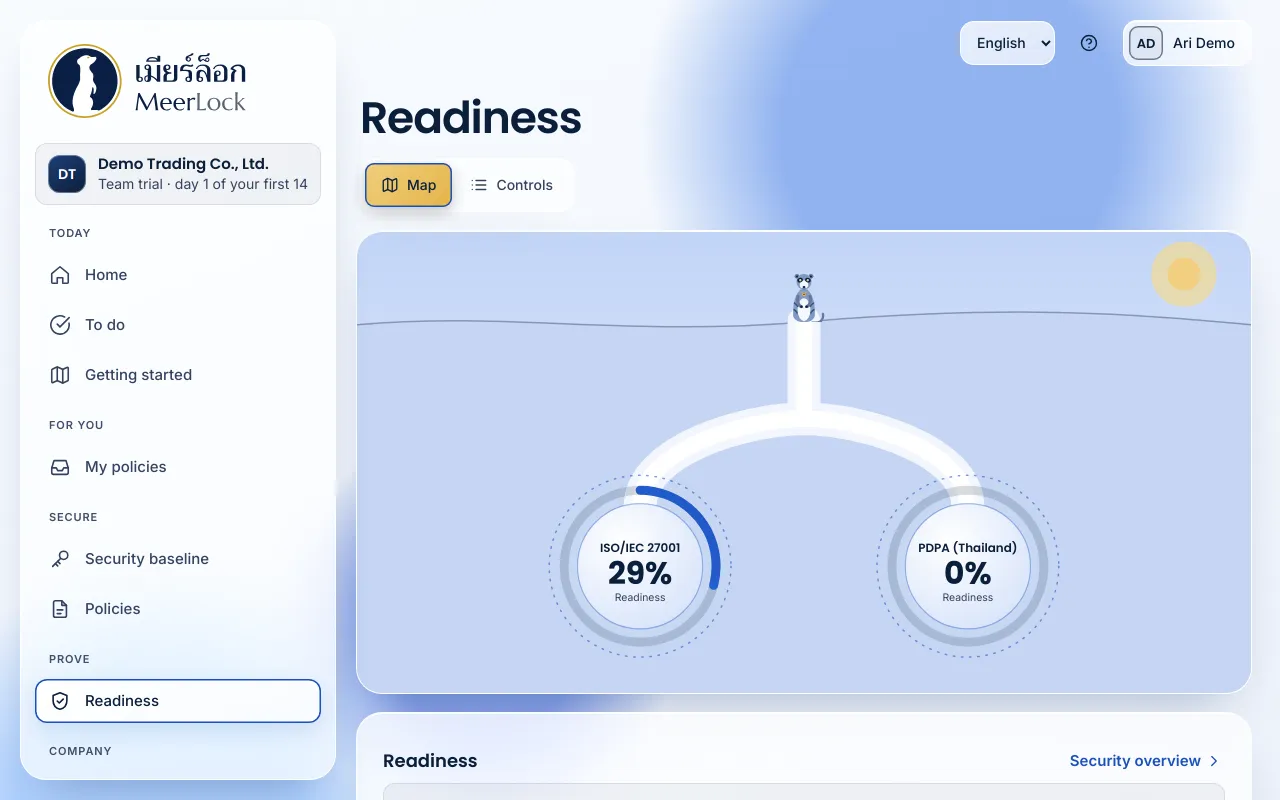
Readiness shows, for each framework you chose, how ready you are and what would move the figure most. It counts real things: policies in force, requirements your policies answer, acknowledgements, recurring actions on time, the risk register and incident response. It is a view of your own work, not an audit result.
How to read it
- Open Readiness. At the top, Map and Controls switch the view. The map shows each framework you picked as a ring with its figure, such as "ISO/IEC 27001: 62% ready". If none shows yet, a note says "Pick your frameworks to see how ready you are." See Frameworks and your plan.
- Under What raises readiness most, the next steps are listed with the points each can add, for example "Up to +6 points". Press Open to go to the place where you do it.
- Each framework breaks into parts: Policies in force, Requirements answered by policies, Acknowledgements, Recurring actions on time, Risk register and Incident response. A part shows its points and a short fact, such as "3 of 5 in force".
- Press a part to see its items: policies In force, with a Review date passed or still a Draft, not counted, who is Still to acknowledge, actions Overdue, and the date of your Last exercise or test.
The requirements, one by one
- Choose Controls, or press See controls on a framework, to see its requirements one by one.
- Each requirement is named by a policy, or still needs one. "3 still need a policy." tells you how many.
- Use Previous framework and Next framework, or Choose a framework, to move between frameworks.
- Where your plan includes AI, Check with AI reads your policies against the framework and answers each requirement.
Good to know
- The figures come from your real data. A policy published, an acknowledgement given or an action done changes the figure at once.
- The parts that apply depend on your plan. A part your plan lacks is left out of the count.
- The coverage map and readiness figure come with every plan. The AI check comes with Business. It reads policies in force and those sent for approval, never a draft, and each answer says which version it read.
- The Security overview link at the foot leads to your one-page summary.
- An auditor you invite sees the same figures. See Auditor view of readiness.
- MeerLock shows what is in place. It does not certify anything.