

Security baseline
The Security baseline is a short list of basic protections every company needs, in plain words, with the steps to switch each one on: two-step verification, updates, backups, who has admin rights and so on. It fits your company, because you say what you run and only the steps that apply show.
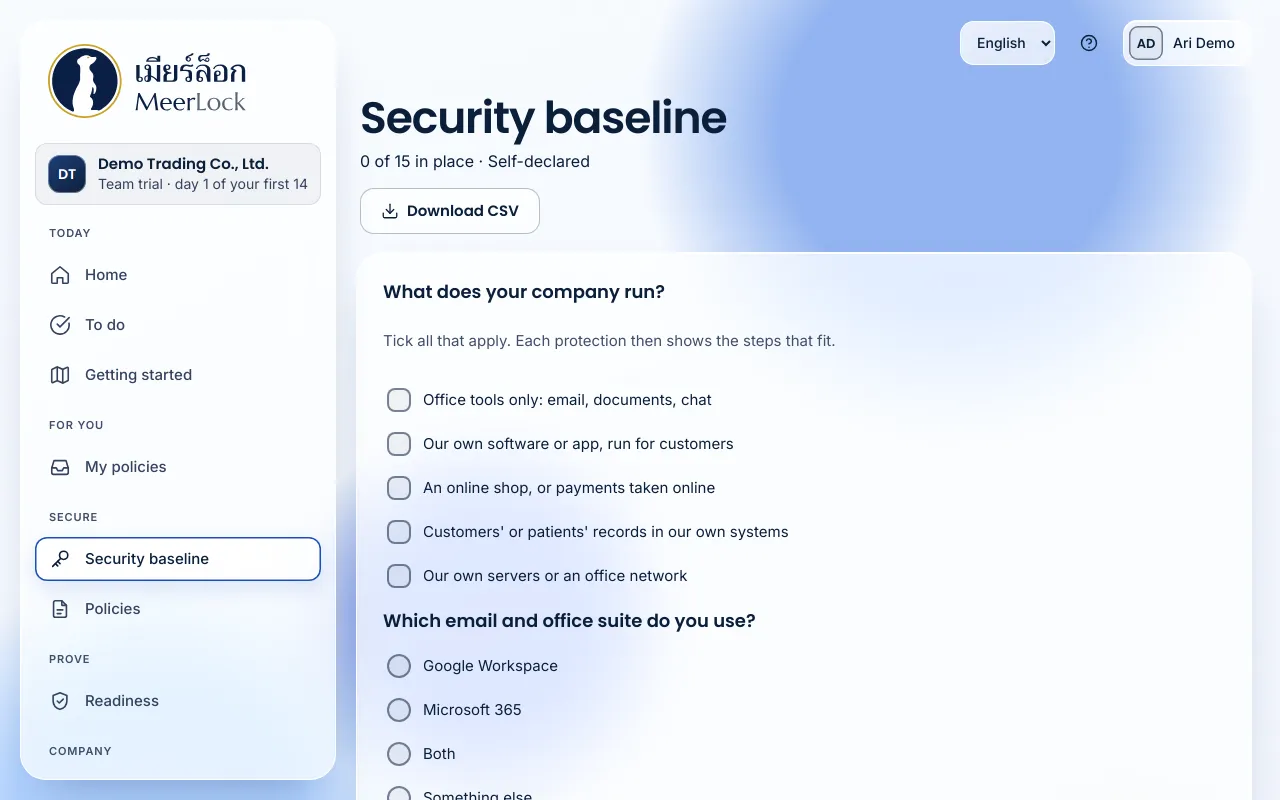
How to start
- Open Security baseline. The top says how many are done, such as "4 of 20 in place".
- Answer What does your company run? Tick all that apply: Office tools only: email, documents, chat, Our own software or app, run for customers, An online shop, or payments taken online, Customers' or patients' records in our own systems or Our own servers or an office network. Each protection then shows the steps that fit. Press Change to answer again later.
- Answer Which email and office suite do you use? MeerLock ticks it from your suppliers when it can.
- Start with the first five. That is the step in Getting started.
How to work a protection
- Open a protection. How gives the steps, and Helps with names the frameworks it supports.
- Set its state: Not started, In progress, In place or Not applicable. Not applicable needs a Reason.
- Give it an owner and a Due date. A late one shows Overdue since a date.
- Under Proof, press Add proof and attach a photo, a screenshot, a PDF or a spreadsheet, or use Add a link or Add a note.
- Protections come back for a check. Confirm again every sets how often. When one is due, Confirm again records Still in place and the date.
Good to know
- The security baseline comes with every plan. How many proof files you can keep depends on your plan, and notes and links need no storage. See Plans and billing.
- The baseline counts in Readiness, and the trust page can show how many protections are in place.
- It is self-declared: you say what is in place, and the proof backs it. An auditor you invite sees the baseline when you tick it.
- Protections that need an owner or a date show up in To do.